For 3D printing, laser and craft workshops

You know what you charge.
Do you know what it costs?

iMaker works out the real cost of every job — material, electricity, hours and the prints that fail — and tells you your margin before you quote. Built for workshops of one or a few people, not for accountants.
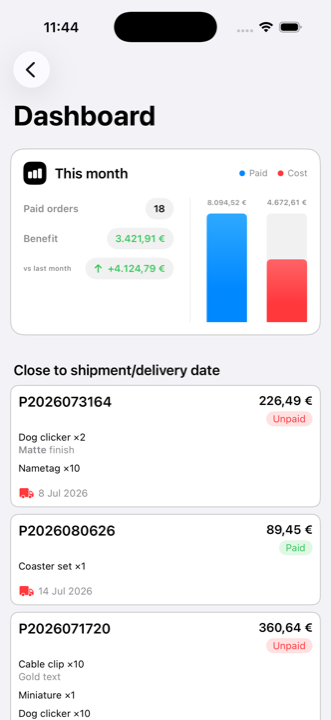
The iMaker dashboard on an iPhone, with the month’s financial summary and the orders closest to delivery
Free calculator
No account, no card
iPhone · iPad · Mac
One subscription
iCloud
Your data, yours alone
From quote to delivery

How iMaker fits into a working day

Sync

On your iPhone, iPad and Mac, always up to date

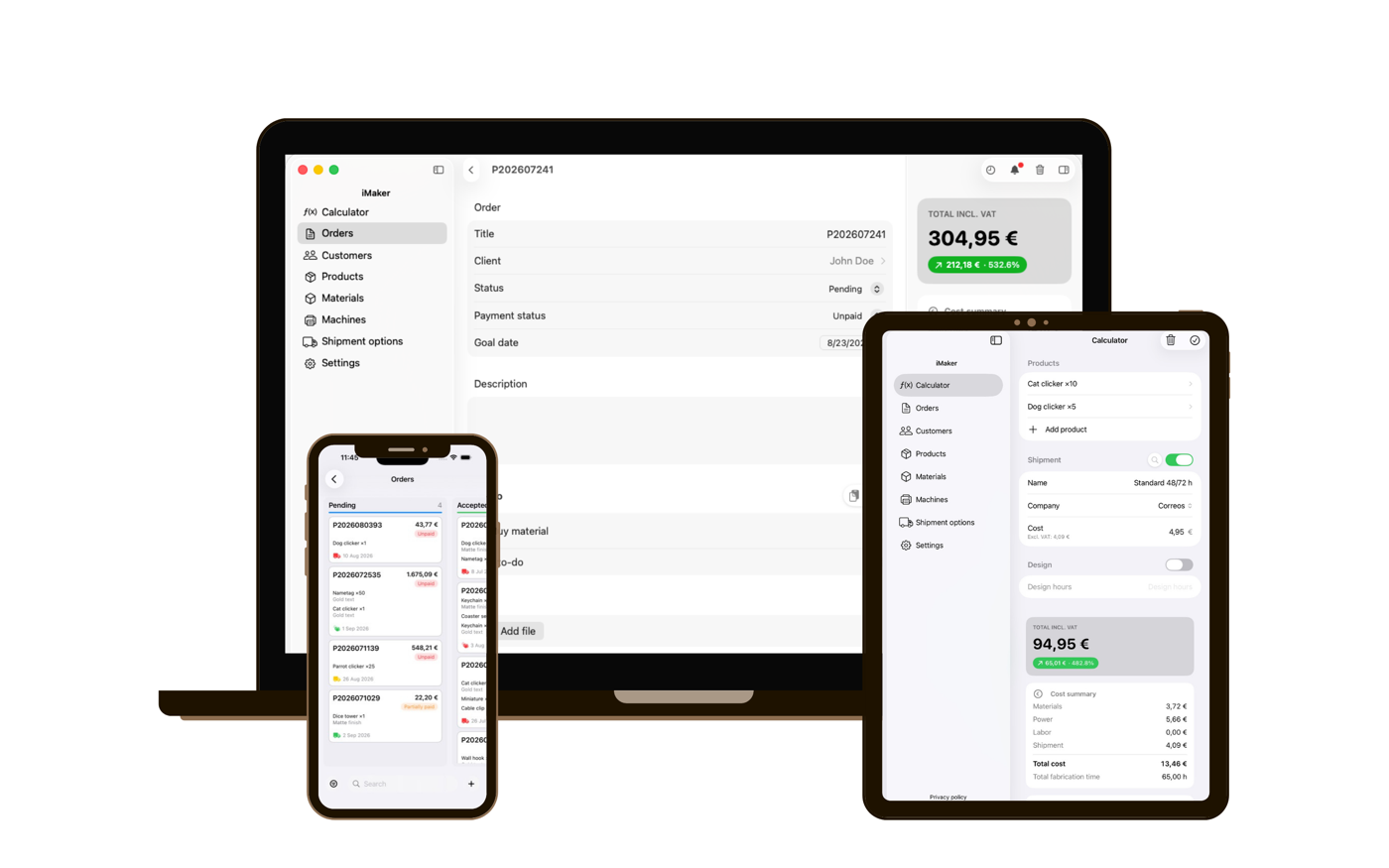
One app for all three, and one subscription. Quote from your phone next to the machine, follow the order on the workshop iPad and review the month on the Mac — iCloud keeps it all in step on its own.

  • iPhone, iPad and Mac on a single subscription
  • Automatic iCloud sync
  • Start on one device, carry on with another
iMaker running at once on a MacBook, an iPad and an iPhone, showing the same orders on all three
Calculate

Know what every job really costs

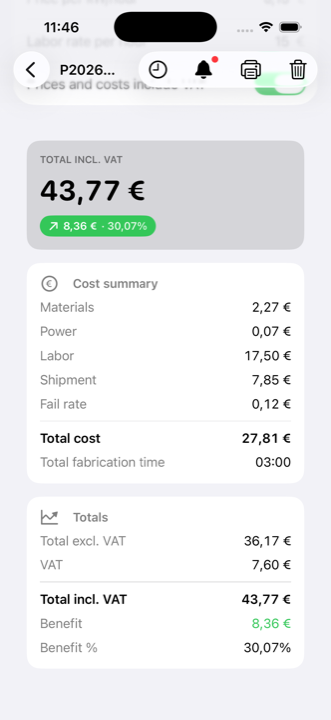
Materials, electricity, labour, shipping and failure rate all add up on their own. You see the total cost and the margin before you give a price, not after you deliver.

  • Breakdown by material, machine and hours
  • Failure rate included in the cost
  • Margin and profit on every quote
Cost summary on an order in iMaker, with materials, power, labour, shipping and the resulting margin
Organise

Every order in its stage, at a glance

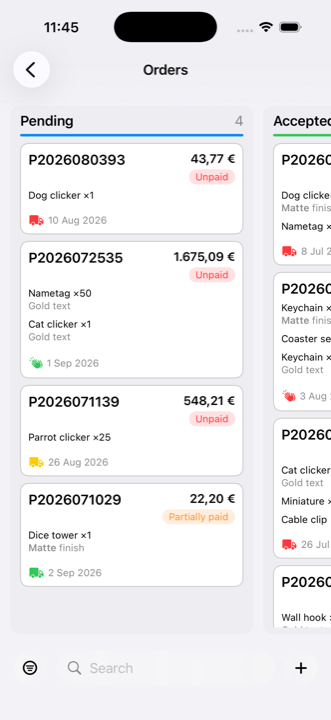
A board with a column per stage. Drag a card to move it along, and see at once what is close to its delivery date and what is still unpaid.

  • Columns by stage, drag and drop
  • Delivery and payment status on every card
  • A warning when the build time will not fit
Order board in iMaker showing cards grouped into status columns
Analyse

Close the month knowing what you made

The dashboard adds up what you were paid and what it cost you, compares it with last month, and lists the orders that need attention today.

  • Paid against cost, month by month
  • Profit and change on the previous month
  • Orders close to their delivery date
iMaker dashboard with the month’s financial summary and the orders closest to delivery
Reuse

Your regular products, ready to go

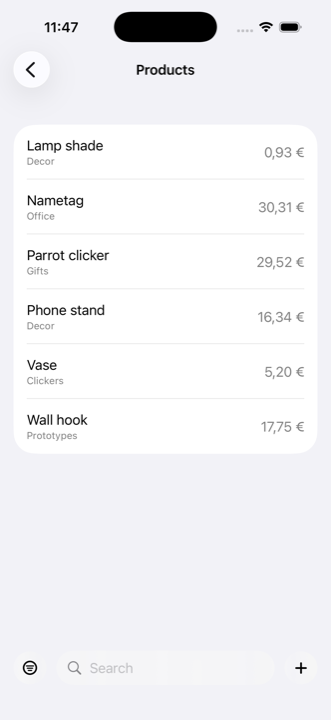
Save each product with its materials, its times and its price. The next quote is put together by picking from your catalogue instead of typing it all again.

  • Materials, times and price saved per product
  • Organised by category, with their SKU
  • Dropped into a quote with one tap
Product catalogue in iMaker, each with its category and price
Materials

What you actually spend, by kilo or by unit

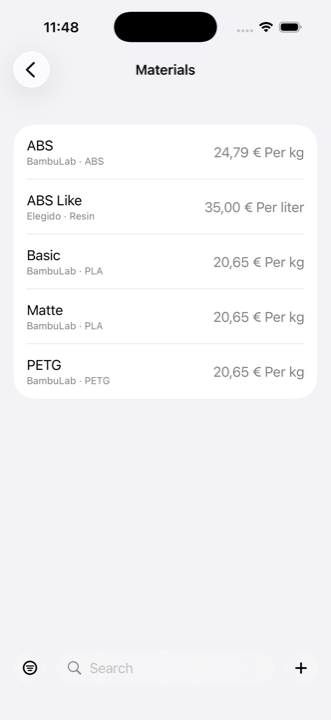
Record your filament, resin and components at what you really paid. iMaker works out what each job consumes instead of estimating it.

  • Price per kilo, litre or unit
  • Brand and type for every material
  • Machines with their real draw in kW/h
Materials list in iMaker, each with its brand, type and price per kilo or litre
Customers

Your customers, always to hand

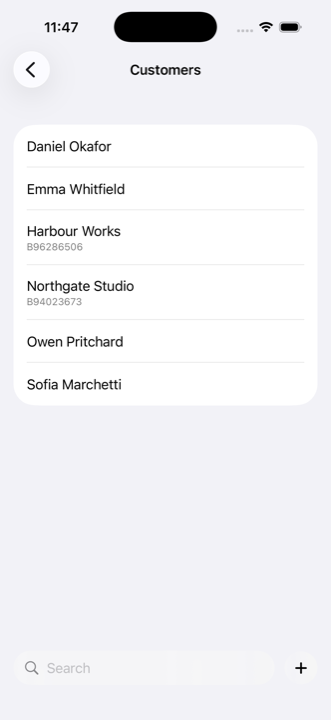
People and companies with their tax number, billing address and contact details. Pick a customer on an order and their details copy straight into the quote.

  • A record for an individual or a company
  • Billing and shipping addresses
  • Copied into the quote automatically
Customer list in iMaker, with individuals and companies identified by their tax number
Import

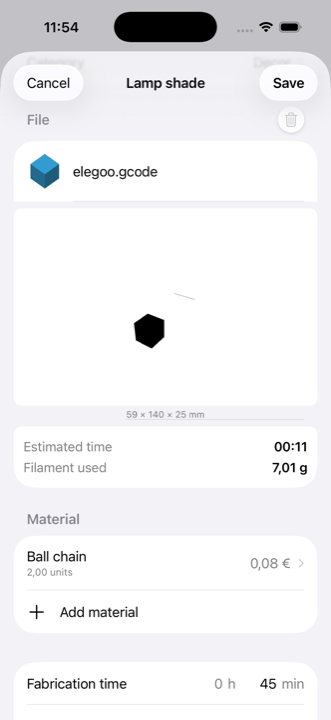
Bring in your G-code and see the part in 3D

Attach the sliced file to a product. iMaker reads the slicer’s own estimate — time and filament — and lets you spin the part in 3D to check it is the one you meant to quote.

  • Accepts .gcode, .gco, .nc, .ngc, .tap, .cnc and .stl
  • Reads the time and filament your slicer calculated
  • 3D view of the toolpath, or of the model for an STL
  • The estimate is shown, never applied on its own — the hours you charge stay yours
A sliced G-code file attached to a product in iMaker, with the 3D view of the part and the slicer’s estimated time and filament
Send

The quote as a PDF, ready for the customer

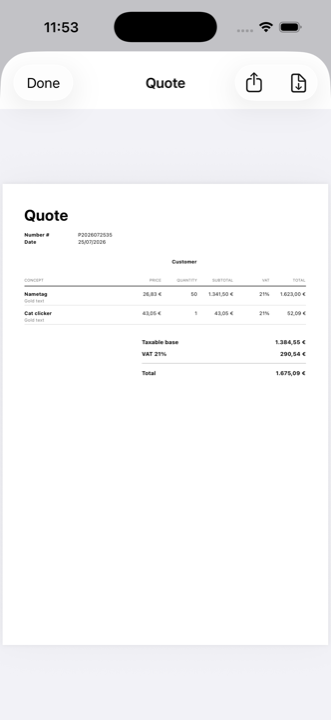
Turn any order into an A4 quote with your company details, the customer’s, a line-by-line breakdown and the VAT totals. Preview it, then share or save.

  • Your business details and the customer’s on the document
  • Line by line, with net, VAT and total
  • Preview before you send it
  • Share or save as a PDF
The quote PDF preview in iMaker, with the line-by-line breakdown and the VAT totals
Configure

Set iMaker up for your workshop once

VAT, target margin, kW/h price and hourly rate. Set once and applied to every new quote, without touching the ones you already made.

  • VAT, target margin and your workshop’s rates
  • Currency and number formatting to taste
  • Available in five languages
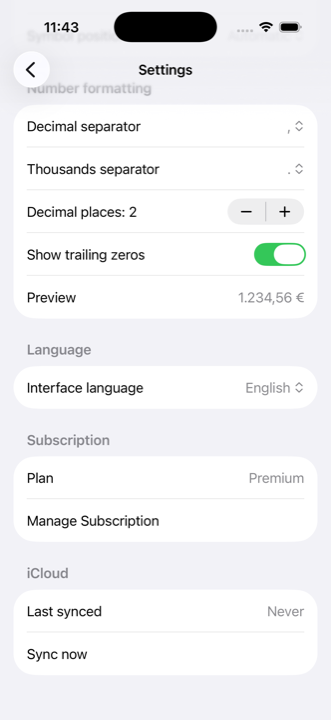
iMaker settings screen with currency, number formatting and interface language

Your data is yours. And nobody else’s.

Your prices, your margins and your customers are the most sensitive part of your business. In iMaker none of it passes through a server of ours: it lives in your own iCloud account, and not even we can see it.

In your iCloud, not ours

Everything you enter lives in your private iCloud database. The developer cannot view it, download it or recover it.

No ads, no trackers

The app carries no advertising, no trackers and no analytics tools of our own or anyone else’s. No profile of you is ever built.

No account to create

We ask for no sign-up and no email to use the app. You can set up your products, costs and customers without giving us a single detail.

You can read it all in full in our privacy policy

Start free, upgrade when you need to

The calculator is free forever. Premium adds orders, customers and analytics.

Free

€0 forever

The full calculator, so you can quote properly from the first job.

Download free
  • The complete quote calculator
  • Material, electricity, hours and failure-rate cost
  • Margin and profit on every quote
  • Materials priced per kilo, litre or unit
  • Machines with their real kW/h draw
  • Catalogue of machine brands and models
  • Reusable shipping options
  • Import G-code or STL and view it in 3D
  • iCloud sync

Premium

Everything included
€3.99 per month · or €1.99 a month billed yearly

Everything in Free, plus full order and customer management.

Try Premium

Everything in Free, and also:

  • Dashboard with the month’s financial summary
  • Paid, cost and profit, month by month
  • Orders on a board by stage
  • Full order record: tasks, files, notes and history
  • Customers with billing and shipping details
  • Saved, reusable products
  • Turn a quote into an order
  • The quote as a PDF to send to the customer

Purchased through the App Store. Cancel any time and keep access until the end of the period you paid for. The price may vary by country.

Frequently asked questions

The questions that come up most

iMaker works out the real cost of every job — material, electricity, machine and hand hours, and the pieces that fail — and tells you the margin before you give a price. After that it lets you run the order through to delivery. It is built for 3D printing, laser cutting, CNC and craft workshops working to order.
The full calculator, with no quote limit and no expiry: material, electricity, hours and failure-rate costs, with the margin and profit that follow. Also your materials list, your machines with their power draw, shipping options, and G-code or STL import with the 3D view. No account and no card required.
Premium adds everything that happens once a job is accepted: the dashboard with the month’s financial summary, orders on a board by stage, the full record for each order with tasks, files and notes, the customer book, saved products, and the quote as a PDF ready to send. It costs €3.99 a month, or €1.99 a month if you pay for the year. The price may vary by country.
No. You enter what you already know — what the spool cost, how long the part takes, which machine makes it — and iMaker does the arithmetic. The only setup is your kW/h price and your hourly rate, filled in once in Settings.
Yes. It is a single app for iPhone, iPad and Mac, and one subscription covers all three. Your data syncs across your devices with iCloud, so you can quote on your phone next to the machine and review the month on the Mac.
In your own iCloud account, in a private database the developer has no access to: we cannot see, download or recover what you enter. The app carries no ads, no trackers and no analytics tools.
Yes. The subscription is managed from your Apple account and you can cancel at any time without penalty, keeping access until the end of the period you have already paid for. Afterwards you still have the free calculator and your data is still there.